


ReactJs & Native Js ayaa halkaan kusoo bandhigi doona farqiyada udhaxeeya anagoo ka eegeeno dhan wawlbo barashada ila market salary , Waa kan farqiga u dhaxeeya React JS iyo Native JavaScript (Vanilla JS):
📋 Qeexid Fudud:
React JS:
- Wa Library/Framework JavaScript
- Waxaa sameeyay Shirkada Facebook (Meta)
- UI building-ka u gaar ah
- Component-based architecture
Native/Vanilla JavaScript:
- Luqadda aasaasiga ah (pure JavaScript)
- Ma jirto library ama framework
- Wax kasta gacanta ku qoraysaa
- Browser direct ayuu ku shaqeeya
🔍 FARQIYADA WEYN:
1. CODE COMPLEXITY (Sida ee ukala fududyihiin code ahaan)
Native JavaScript:
javascript
// HTML
<div id=”app”></div>
// JavaScript
const app = document.getElementById(‘app’);
let count = 0;
function render() {
app.innerHTML = `
<h1>Count: ${count}</h1>
<button onclick=”increment()”>Click</button>
`;
}
function increment() {
count++;
render();
}
render();
React JS:
javascript
function App() {
const [count, setCount] = useState(0);
return (
<div>
<h1>Count: {count}</h1>
<button onClick={() => setCount(count + 1)}>Click</button>
</div>
);
}
✅ React waa mid FUDUD oo organized ah taa micnaheeda Native waa looga fiicanyahay dhankaas!
2. DOM MANIPULATION
Native JavaScript:
javascript
// Elements manually update gareyso
const title = document.getElementById(‘title’);
title.textContent = ‘New Title’;
title.style.color = ‘red’;
// Event listeners manually
button.addEventListener(‘click’, handleClick);
React JS:
javascript
// React automatic ayuu DOM-ka cusbooneysiiyaa
const [title, setTitle] = useState(‘Old Title’);
<h1 style={{color: ‘red’}}>{title}</h1>
<button onClick={handleClick}>Click</button>
✅ React = Automatic DOM updates (Virtual DOM)
❌ Native JS = Manual DOM manipulation (gaabis)
3. STATE MANAGEMENT
Native JavaScript:
javascript
// State manually manage gareyso
let user = {
name: ‘Ahmed’,
age: 25
};
// Update-ka
user.name = ‘Mohamed’;
// UI manual update
document.getElementById(‘name’).textContent = user.name;
React JS:
javascript
// State automatic tracking
const [user, setUser] = useState({
name: ‘Ahmed’,
age: 25
});
// Update + UI automatic
setUser({…user, name: ‘Mohamed’});
✅ React = Automatic UI(User interface) updates marka state bedesho
❌ Native JS = Manual UI updates qoraysaa wuxuu ubaahnaanaa inaad si manual u update gareyso.
4. COMPONENT REUSABILITY
Native JavaScript:
javascript
// Component reuse WA ADAG!
function createButton(text) {
const button = document.createElement(‘button’);
button.textContent = text;
return button;
}
// Hal mar keliya isticmaali kartaa
const btn1 = createButton(‘Click 1’);
const btn2 = createButton(‘Click 2’);
React JS:
javascript
// Component reuse FUDUD!
function Button({ text, onClick }) {
return <button onClick={onClick}>{text}</button>;
}
// Meel kasta isticmaal
<Button text=”Click 1″ onClick={handler1} />
<Button text=”Click 2″ onClick={handler2} />
<Button text=”Click 3″ onClick={handler3} />
✅ React = Components- ka si fudud ayaa dib u isticmaali kartaa
❌ Native JS = waa ee adag tahay inaad dib u isticmaasho
5. CODE ORGANIZATION
Native JavaScript:
javascript
// Wax walba isku file-ka ama scattered
const data = […];
function getData() {…}
function updateUI() {…}
document.getElementById(‘btn’).onclick = handler;
// Large projects = MASHQUUL (messy)!
React JS:
javascript
// Components organized structure
// Header.js
function Header() {…}
// Footer.js
function Footer() {…}
// App.js
function App() {
return (
<>
<Header />
<Content />
<Footer />
</>
);
}
✅ React = Organized, modular, clean
❌ Native JS = Projects waaweyn waa Confused
6. PERFORMANCE
Native JavaScript:
javascript
// DOM updates DIRECT = degdeg (project yar)
document.getElementById(‘text’).textContent = ‘New’;
// Laakiin projects waaweyn = GAABIS!
// Updates badan = slow
React JS:
javascript
// Virtual DOM = SMART updates
// Waxaa la cusbooneysiiyaa waxii isbeddelay oo keliya
setState(newValue);
// Projects waaweyn = DEGDEG & OPTIMIZED ✅
Performance Comparison:
- Small apps: Native JS ka fiican in yar
- Large apps: React JS KA BADAN FIICAN (Virtual DOM optimization)
7. LEARNING CURVE
Native JavaScript: ✅ Easy to start (si fudu ayaa ubilaabi kartaa)
❌ Complex apps = wee adagtahay in la qoro
React JS: ❌ Bilowga waa in yar oo adeeg ah (JSX, components, hooks ayee u baahan tahay inaad taqaano )
✅ Complex apps = wey fududahay iyo weyna organized gareeysantahay
8. ECOSYSTEM & TOOLS
Native JavaScript:
- No built-in tools
- Everything manual qoraysaa
- Libraries manually integrate gareyso
React JS:
- NPM packages BADAN (millions!)
- Developer tools fiican (React DevTools)
- Create React App (quick setup)
- Next.js, Gatsby (frameworks)
- Redux, Context API (state management)
- React Router (navigation)
✅ React = Ecosystem WEYN + tools badan!
9. REAL-WORLD EXAMPLE
Todo List App:
Native JavaScript (~80 lines):
javascript
let todos = [];
function addTodo() {
const input = document.getElementById(‘input’);
todos.push({id: Date.now(), text: input.value});
input.value = ”;
renderTodos();
}
function deleteTodo(id) {
todos = todos.filter(t => t.id !== id);
renderTodos();
}
function renderTodos() {
const list = document.getElementById(‘list’);
list.innerHTML = ”;
todos.forEach(todo => {
const li = document.createElement(‘li’);
li.textContent = todo.text;
const btn = document.createElement(‘button’);
btn.textContent = ‘Delete’;
btn.onclick = () => deleteTodo(todo.id);
li.appendChild(btn);
list.appendChild(li);
});
}
document.getElementById(‘addBtn’).onclick = addTodo;
React JS (~30 lines):
javascript
function TodoApp() {
const [todos, setTodos] = useState([]);
const [input, setInput] = useState(”);
const addTodo = () => {
setTodos([…todos, {id: Date.now(), text: input}]);
setInput(”);
};
const deleteTodo = (id) => {
setTodos(todos.filter(t => t.id !== id));
};
return (
<div>
<input
value={input}
onChange={(e) => setInput(e.target.value)}
/>
<button onClick={addTodo}>Add</button>
<ul>
{todos.map(todo => (
<li key={todo.id}>
{todo.text}
<button onClick={() => deleteTodo(todo.id)}>
Delete
</button>
</li>
))}
</ul>
</div>
);
}
“`
✅ **React = Ka YAR, ka CLEAN, ka FUDUD!**
—
## 📊 **COMPARISON TABLE:**
| **Feature** | **Native JavaScript** | **React JS** |
|—|—|—|
| **Difficulty (Bilowga)** | ✅ Easy | ⚠️ Medium |
| **Large Projects** | ❌ Hard & Messy | ✅ Easy & Organized |
| **DOM Updates** | ❌ Manual (gaabis) | ✅ Automatic (degdeg) |
| **Code Reuse** | ❌ Adag | ✅ Fudud |
| **State Management** | ❌ Manual | ✅ Built-in |
| **Performance (Large)** | ❌ Slow | ✅ Fast |
| **Community & Tools** | ⚠️ Limited | ✅ Huge |
| **Job Market** | ⚠️ Basic skill | ✅ High demand |
| **Maintenance** | ❌ Adag | ✅ Fudud |
| **Learning Time** | ✅ Days | ⚠️ Weeks |
—
## 🎯 **GORTA KU ISTICMAAL:**
### **Native JavaScript isticmaal haddii:**
✅ Project aad u yar (landing page)
✅ Performance MAXIMUM u baahan tahay
✅ No dependencies dooneyso
✅ Barasho basics keliya
### **React JS isticmaal haddii:**
✅ Web app/SPA building
✅ Large project (e-commerce, dashboard, iwm)
✅ Team collaboration
✅ Code organized & maintainable dooneyso
✅ Modern development experience
✅ Career perspective (jobs badan!)
—
## 💼 **JOB MARKET:**
**Native JavaScript:**
– Basic requirement DHAMMAAN.
– Ma kugu filna inaad shqo kuheshid kaligeed
**React JS:**
– Top 3 in-demand skills ayee kamid tahay
– Salaries sare ($70k-$150k+) markuu loo eego USA
– Companies waaweyn (Google, Facebook, Netflix, iwm)
## 🚀 **TALO DHAMAAD AH:**
1. **Bilow:** Native JavaScript (fundamentals baro)
2. **Ka dib:** React JS baro (industry standard)
3. **Ka dib:** React Native (mobile apps)
**Learning Path:**
“`
HTML/CSS → JavaScript (Native) → React JS → React Native
↓ ↓ ↓ ↓
1 week 2-3 weeks 1-2 months 2-3 weeks
Xulasho: React JS waa ka FIICAN projects real-world ah, laakiin Native JavaScript WAXAA LA BARAN KARAA BILOWGA (foundation)!
Ma doonaysaa inaad bilowdo code comparison dheeraad ah ama tutorial? 🚀
AO
Waa kan TABLE kala barbardhigaya PROS & CONS ee React JS iyo Native JavaScript:
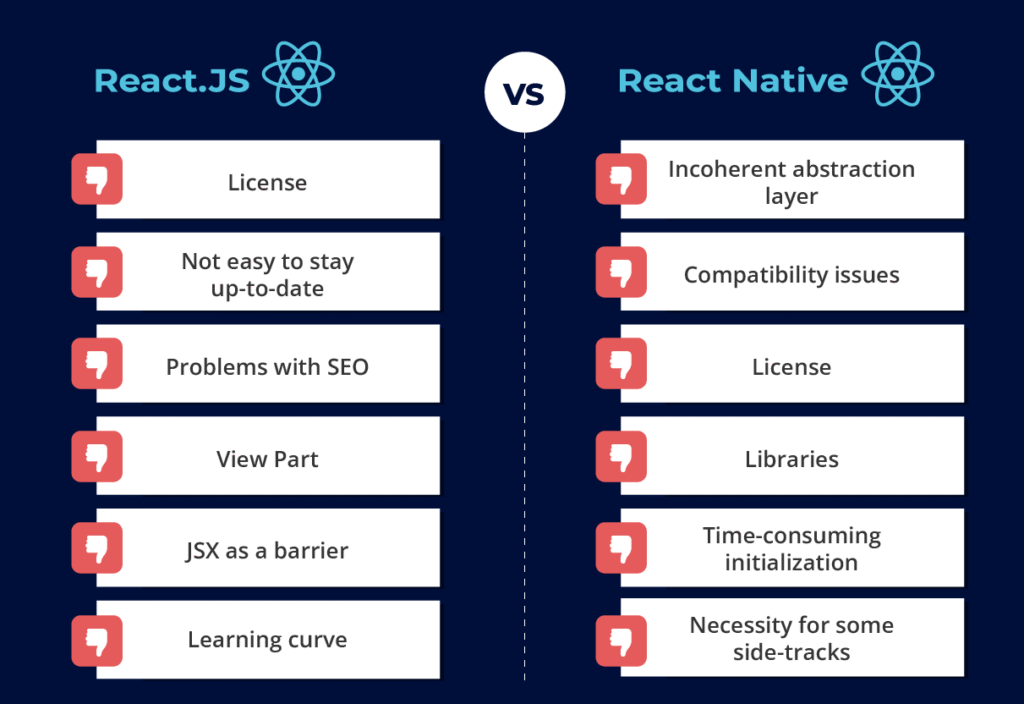
📊 REACT JS vs NATIVE JAVASCRIPT – PROS & CONS
🟢 REACT JS
| ✅ PROS (Faa’iidooyinka) | ❌ CONS (Cillado) |
| 1. Component Reusability – Components dib ugu isticmaali kartaa meel kasta | 1. Learning Curve – Bilowga waa in yar adag (JSX, hooks, concepts cusub) |
| 2. Virtual DOM – Performance fiican, updates degdeg ah & optimized | 2. Bundle Size – React library waxay kordhisaa file size (45kb+) |
| 3. State Management Built-in – useState, useContext, Redux integration fudud | 3. Overhead – Projects yar yar waxay u baahan yihiin setup badan |
| 4. Automatic UI Updates – Marka state bedesho, UI automatic ayay cusboonaato | 4. Constant Updates – React updates joogto ah, breaking changes dhici kara |
| 5. Code Organization – Clean, modular, easy to maintain | 5. JSX Confusion – Bilaowga HTML iyo JS isku dhafka waa yaab (confusing) |
| 6. Large Ecosystem – NPM packages millions, libraries badan diyaar ah | 6. Too Many Choices – State management, routing, styling – options badan oo confusing |
| 7. Developer Tools – React DevTools aad u awood badan debugging | 7. SEO Challenges – Client-side rendering SEO ma fiicna (Next.js u baahan) |
| 8. Strong Community – Millions developers, support online badan, tutorials | 8. Requires Build Tools – Webpack, Babel u baahan tahay (setup complex) |
| 9. One-Way Data Flow – Predictable, debugging fudud | 9. Performance Overhead – Small apps-ka, native JS waa ka degdeg in yar |
| 10. JSX Readability – Marka barato, waa clean oo fahmi fudud | 10. Dependencies – node_modules folder WEYN (storage badan) |
| 11. React Native Integration – Skills-ka web → mobile noqon karaan | 11. Overengineering Risk – Projects yar yar waxay u baahan kara simple solution |
| 12. Job Market Demand – Jobs badan, salaries sare, career growth | 12. Not Full Framework – Routing, forms, HTTP requests external libraries u baahan |
| 13. Backed by Meta – Facebook/Meta support joogto ah, stable | 13. JavaScript Fatigue – Tools iyo libraries updates joogto ah waa daal |
| 14. Declarative Programming – Maxaad rabtid qor, not how (simpler logic) | 14. Testing Complexity – Setup testing waa in yar advanced |
| 15. Scalability – Apps waaweyn wuu maamuli karaa (Instagram, Facebook) | 15. Initial Load Time – First load waa in yar gaabis (bundle size darteed) |
| 16. Hot Module Replacement – Development degdeg, changes instant | |
| 17. TypeScript Support – Integration fiican type safety | |
| 18. Server-Side Rendering – Next.js la isticmaalo SEO & performance |
🟡 NATIVE JAVASCRIPT (Vanilla JS)
| ✅ PROS (Faa’iidooyinka) | ❌ CONS (Cillado) |
| 1. No Dependencies – Ma u baahna libraries, pure JavaScript | 1. Manual DOM Manipulation – Wax walba gacanta qoraysaa (tedious & slow) |
| 2. Lightweight – File size aad u yar, no framework overhead | 2. No Built-in State Management – State manual manage gareyso |
| 3. Fast Load Time – Projects yar yar waa ka degdeg React | 3. Code Duplication – Reusability adag, code badan oo isdaba joog ah |
| 4. Full Control – Wax kasta aad control gareeysaa, no abstractions | 4. Messy Large Projects – Apps waaweyn waa mashquul oo adag maintain |
| 5. Easy to Start – Bilowga fudud, HTML iyo JS oo keliya | 5. Boilerplate Code – Code badan oo aan muhiimka ahayn qoraysaa |
| 6. Browser Native – Direct browser API, no compilation | 6. Poor Scalability – Marka app-ku weynado, waa adag in la maamullo |
| 7. Universal Skill – Dhammaan browsers & platforms waxay taageeraan | 7. Cross-Browser Issues – Browser kasta compatibility manual check |
| 8. No Build Process – File fur oo browser ku keen, that’s it! | 8. No Component System – Component reuse system ma jirto built-in |
| 9. Direct Performance – Small tasks waa aad u degdeg (no Virtual DOM overhead) | 9. Event Listener Management – Manually attach/detach, memory leaks dhici kara |
| 10. Learning Foundation – Aasaaska JavaScript wax walba | 10. No Automatic Re-rendering – UI manually cusbooneysi marka data bedesho |
| 11. Better for Simple Pages – Landing pages, portfolio sites, small scripts | 11. Difficult Team Collaboration – Code structure ma jirto standard, messy |
| 12. Debugging Simple – Browser DevTools oo keliya, simple | 12. No Ecosystem – Wax walba scratch ka bilowdaa ama libraries manually add |
| 13. SEO Friendly – Static HTML, Google si fudud ayuu u arkaa | 13. Time Consuming – Features implement waqti dheer qaata |
| 14. No Updates Stress – JavaScript stable, no breaking changes | 14. Hard to Test – Unit testing setup ma jirto built-in |
| 15. Educational Value – Waxaad fahantaa sida JavaScript runtii u shaqeeyo | 15. Repetitive Tasks – Isla shaqada dhowr mar qoraysaa (forms, validation, iwm) |
| 16. Poor Developer Experience – No hot reload, manual refresh | |
| 17. Limited Tooling – No React DevTools-style debugging | |
| 18. Error Prone – Manual work badan = bugs badan |
📈 VISUAL COMPARISON SUMMARY:
REACT JS NATIVE JS
vs
Learning Curve: ⚠️ Medium ✅ Easy
Small Projects: ⚠️ Overkill ✅ Perfect
Large Projects: ✅ Excellent ❌ Messy
Performance: ✅ Optimized ⚠️ Manual
Maintainability: ✅ Easy ❌ Hard
Code Reusability: ✅ Excellent ❌ Poor
Job Market: ✅ High Demand ⚠️ Basic
Development Speed: ✅ Fast ❌ Slow
File Size: ❌ Larger ✅ Tiny
Setup Time: ❌ Longer ✅ Instant
Community Support: ✅ Huge ⚠️ General
Modern Features: ✅ Yes ❌ Limited
🎯 GOOBTA AY BEST KU YIHIIN:
✅ USE REACT JS FOR:
- ✅ Single Page Applications (SPAs)
- ✅ E-commerce websites
- ✅ Dashboards & Admin panels
- ✅ Social media platforms
- ✅ Real-time applications
- ✅ Complex user interfaces
- ✅ Team projects
- ✅ Apps requiring frequent updates
- ✅ Projects xaggaaga career-ka ka caawinaya
✅ USE NATIVE JAVASCRIPT FOR:
- ✅ Landing pages fudud
- ✅ Portfolio websites
- ✅ Simple animations & effects
- ✅ Learning JavaScript fundamentals
- ✅ Small scripts & utilities
- ✅ Adding interactivity to static sites
- ✅ Performance-critical small tasks
- ✅ Quick prototypes/demos
- ✅ Ma rabto dependencies
💡 TALO DHAMAAD AH:
Haddii aad bilowga tahay:
- Bilow Native JavaScript (2-4 weeks)
- Aasaaska baro
- DOM manipulation fahmo
- JavaScript ku xeel dheer
- Ka dib React baro (1-2 months)
- Components, JSX, Hooks
- Real projects samee
- Industry-ready noqo
Haddii aad project qaban doonto:
- Small/Simple? → Native JavaScript ✅
- Medium/Large? → React JS ✅
- Need job skills? → React JS ✅
- Learning only? → Native JavaScript → React JS ✅
🏆 WINNER ( midkee ayaa fiican)?
Ma jiro “best” absolute! Labaduba waxay leeyihiin meelaha ay ku wanaagsan yihiin:
- Native JavaScript = Foundation & simple projects
- React JS = Modern development & complex apps
Reality: Professional developers waxay u isticmaalaan LABADABA:
- Native JS → fundamentals & quick tasks
- React JS → real applications & career
Please follow and like us:


